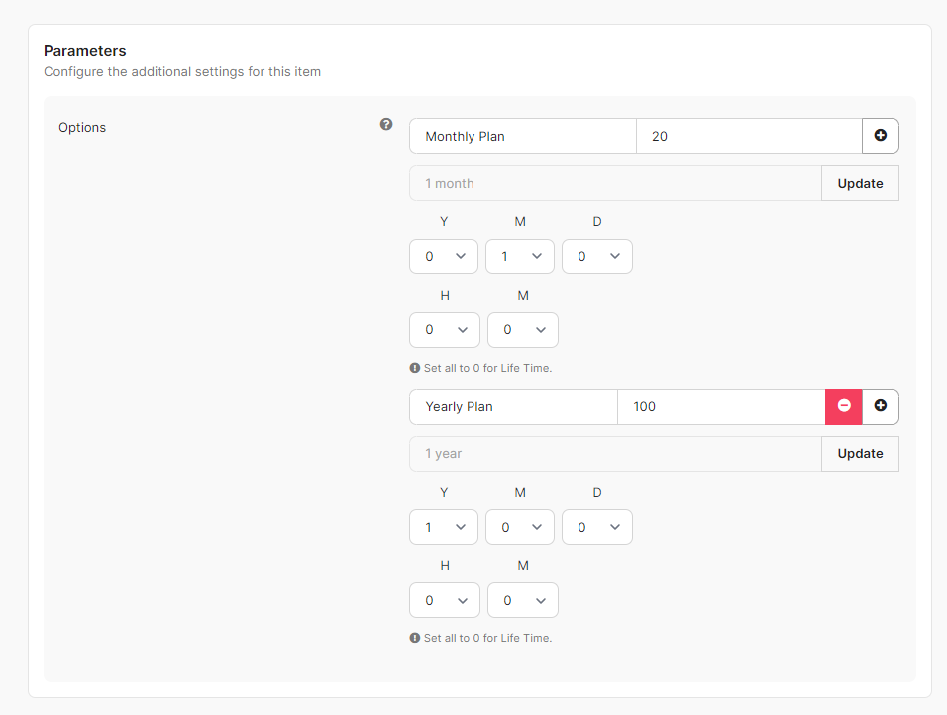
Plan Price Variations formerly known as dynamic modifier are essentialy a set of rules that can alter the price of existing plans and generate a set of variants without affecting the original plan. Think of it as having multiple prices for a single plan rather than creating multiple plans. Here is a screen shot of the Plan Price Variations in action:

To create a Plan Price Variation, follow the simple steps below:
Head over to
Plans>Plan Price VariationsClick on the
Newbutton which appears on the toolbar at upper left corner.New Plan Price Variations plans creations will shown as you can see below.

Just like most of the other rules and sections in PayPlans. The renewal rule can be applied to all plans or selective plans. If you do not want the rule to apply to all plans, disable the option
Apply on All Plansand enter the plans that you want acordingly.Parameters
Under the parameters, you can set different amounts and different tenures for each options. These options are useful for those users that wanted to subscribe with a cheaper price and different tenure.