Paddle offers SaaS companies a completely different approach to their payments infrastructure. Instead of assembling and maintaining a complex stack of payments-related apps and services, we’re a merchant of record for our customers, taking away 100% of the pain of payments fragmentation. It’s faster, safer, simpler, and above all, way better.
Setting Up Paddle
- Paddle support Fixed and Recurring payments.
Paddle requires user to create an account with them. Navigate to Paddle sign-up section, complete the registration by defining your business model and provide some details for your application.
Create Subscription Plan
In order for you to integrate PayPlans with Paddle, you'll need to create a mirror plan for each plans that you have in PayPlans into Paddle.
- In your Dashboard, click Catalog on the sidebar and click Subscription Plans
- Click on New Plan
- Once all fields are filled in, Click Save Plan
Request Domain Approval
Get your website domain or subdomain whitelisted by Paddle Support. You can do so by going to Approved Domains Page and submit your domain.

Add URL for Webhook Alerts
- Go to Paddle Events
Under Receiving Events, enter the following URL and replace yoursite.com with your site's domain appropriately
http://yoursite.com/index.php?option=com_payplans&gateway=paddle&view=payment&task=notify
Under Subscription Events, you may want to tick as below:
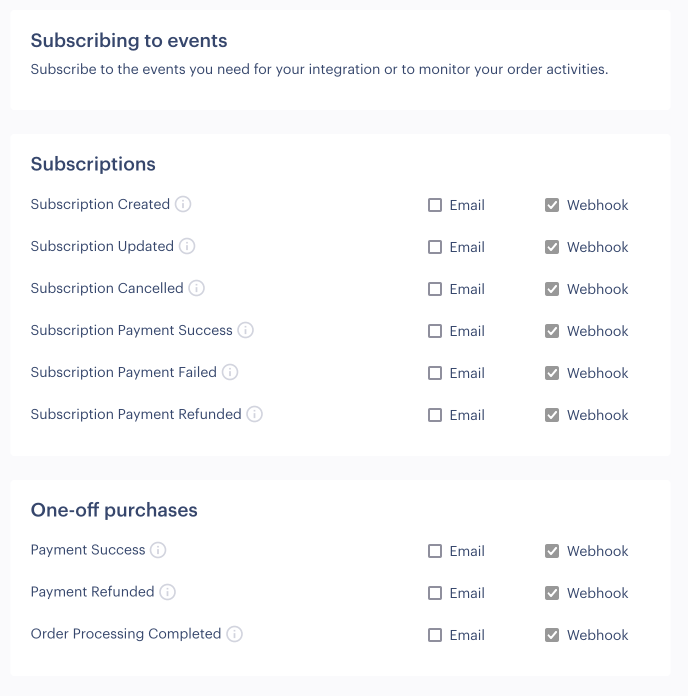
- Click on Save Changes.


Paddle Configuration
The General options for Paddle are fairly the same among all payment methods. You'll need to give a suitable title, determine whether to be published or unpublished and the appropriate description for this payment method. You may set this payment method to be applied on all plans or only on selected plans.
The following screenshot illustrate the options available in Paddle.

Paddle Vendor ID - You can find your Vendor ID in Authentication page.
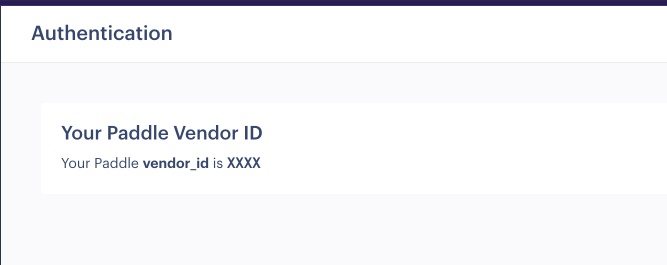
Public Key - You can find your Public Key in here
Plan Mapping - You will need to map the plans on the site with the alias of subscription plans that you created previously on Paddle.
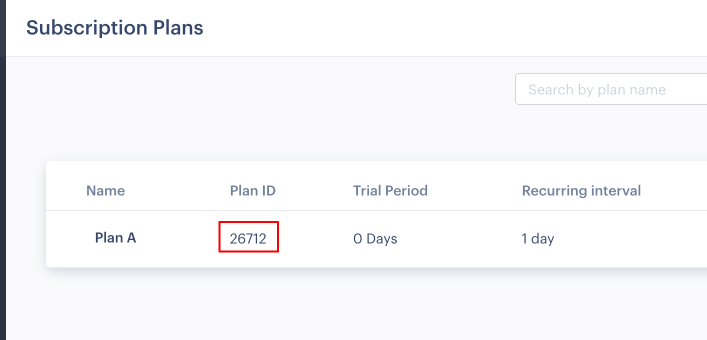


When everything are in order, click on Save button to store the configuration.