Access Control List (ACL) is a system that allows the site administrator to manage the user's roles on the site. It is an access level control that manages users' capability to view objects on the site. These objects include menu items, modules, categories or component-specific items such as articles, contacts, etc. Each object can be assigned to an access level. And these access levels are accessible by users via user groups.
With PayPlan's Subscription system, users with a premium plan will have more privileges compared to users with a basic plan. More privileges constitute users will have more access to the site. To achieve this, you'll need to use PayPlans' Joomla-User-Type app.
We always claimed that PayPlans is a versatile subscription system. This holds valid since different components which provide any restriction via user groups are easily integrated by the Joomla-User-Type app. You can change the user's user group according to the subscription status.
Case Study
You are the owner of the blog sites. You want to create a Reviewer user group, who can review and edit the article before publishing the article.
So, to solve this problem we would suggest creating a new profile for each reviewer and then assigning these users to a new Reviewer group.
Refer below-mentioned steps to achieve this
Step 1: Create a new User Group
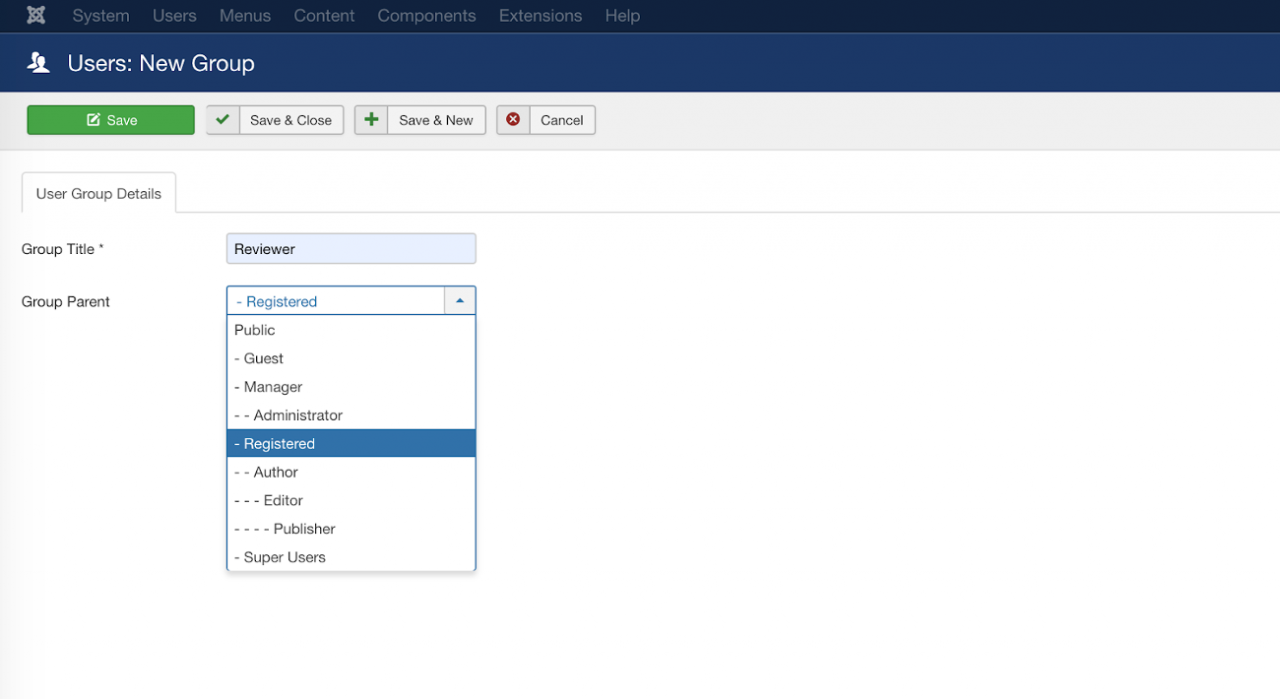
Create New User Groups
Go to Users > Hover Groups > Add New Group.

The new user group Reviewer has Registered as a parent.
Create a new user
- Create a new User using Joomla User Manager and assign that user to the "Reviewer" user group.


Step 2: Assign appropriate Permissions
Permissions tabs: There are three permissions tabs (levels) that you need to know on the Joomla site before setting up ACL:
Permissions tab in Global Configuration
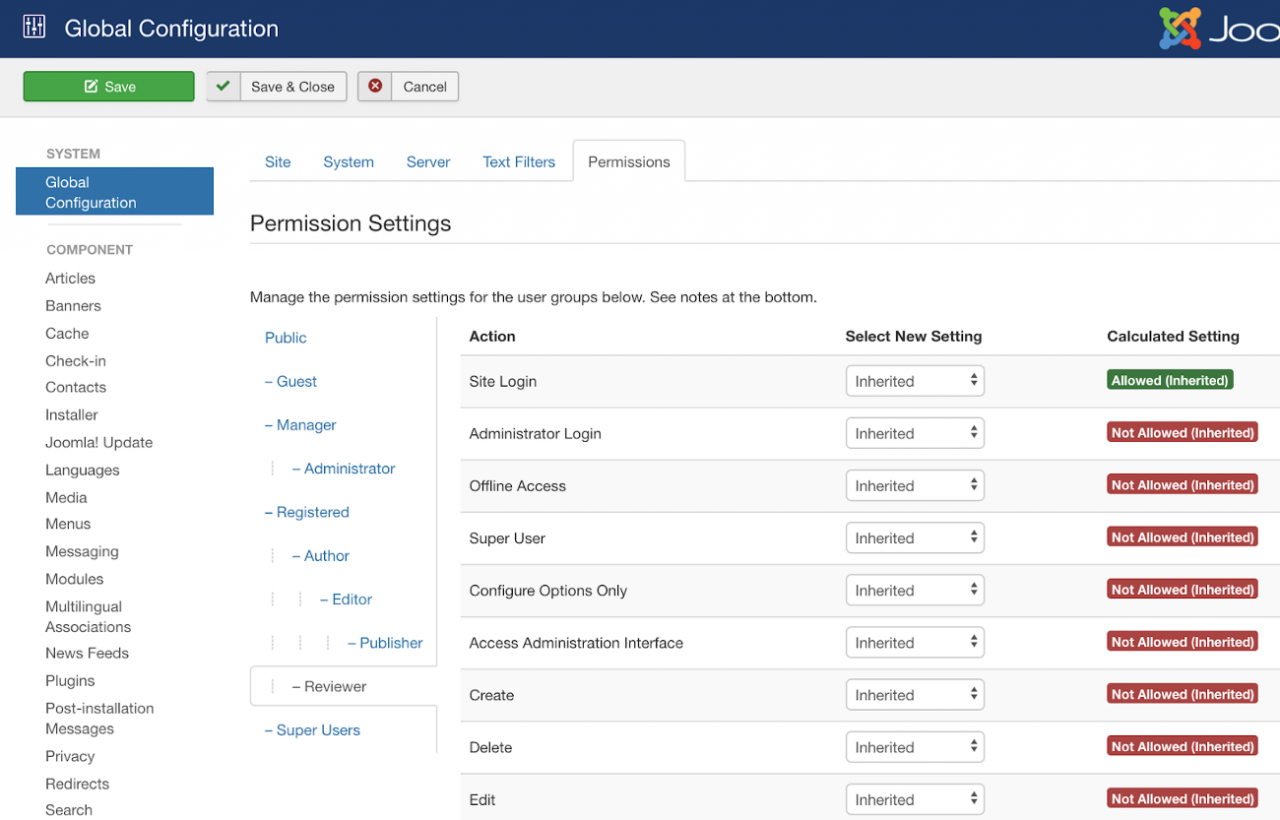
Permissions tab in Article Component
 Note for settings in the permissions tab:
Here is some useful information that helps you set up user group permissions in the Permission Tab on sites easier:If the selected setting is Inherited or Allowed:
Low-level user groups will automatically inherit the setting from a higher level.
Settings in low-level user groups can be manually overridden by settings in the higher level.
If the selected setting in the higher level is Denied, you will be unable to choose new settings for the lower level and it will be shown as Locked.
Set up Reviewer group permissions.
Open the Single Article > Permissions tab:

Select Reviewer Group - the Joomla default setting shows you three actions with Not Allowed (Inherited) settings. That means all actions that are Not Allowed have been inherited from a higher level.
Then, you need to change the Edit setting to Allowed, other settings need to be kept as default to make sure the Reviewer group will only participate in assigned actions.
Once done, save the changes first.
Now, the new Reviewer group will be able to review and edit that article before other groups publish it.


Different Component Directly Supported by Joomla-User-Type
JDownloads
It allows a user to download the specified data when the user belongs to a particular user group that is allowed to download that data. So it simply needs some mapping of a user to groups and groups should be granted the required access for download.DOCMAN
DOCman is the best document & download manager extension for Joomla. It allows users to download the files/documents as per the Joomla user group.