Instead of making changes to the language file, we strongly recommend that you add your custom translations through the Language override functionality in Joomla. This will ensure that your changes would not be overwritten when you update the extension.
To create an override, all you need to do is to follow these simple steps:
Head over to Joomla's Language Manager section located at the backend of your Joomla! site. It is accessible via
Extensions>Language(s)>Overridesas shown from the screen shot below:
If you already have a list of overrides, you can view the list here. Before you can create an override, you will need to select the language that you wish to create the override for first, as shown below:
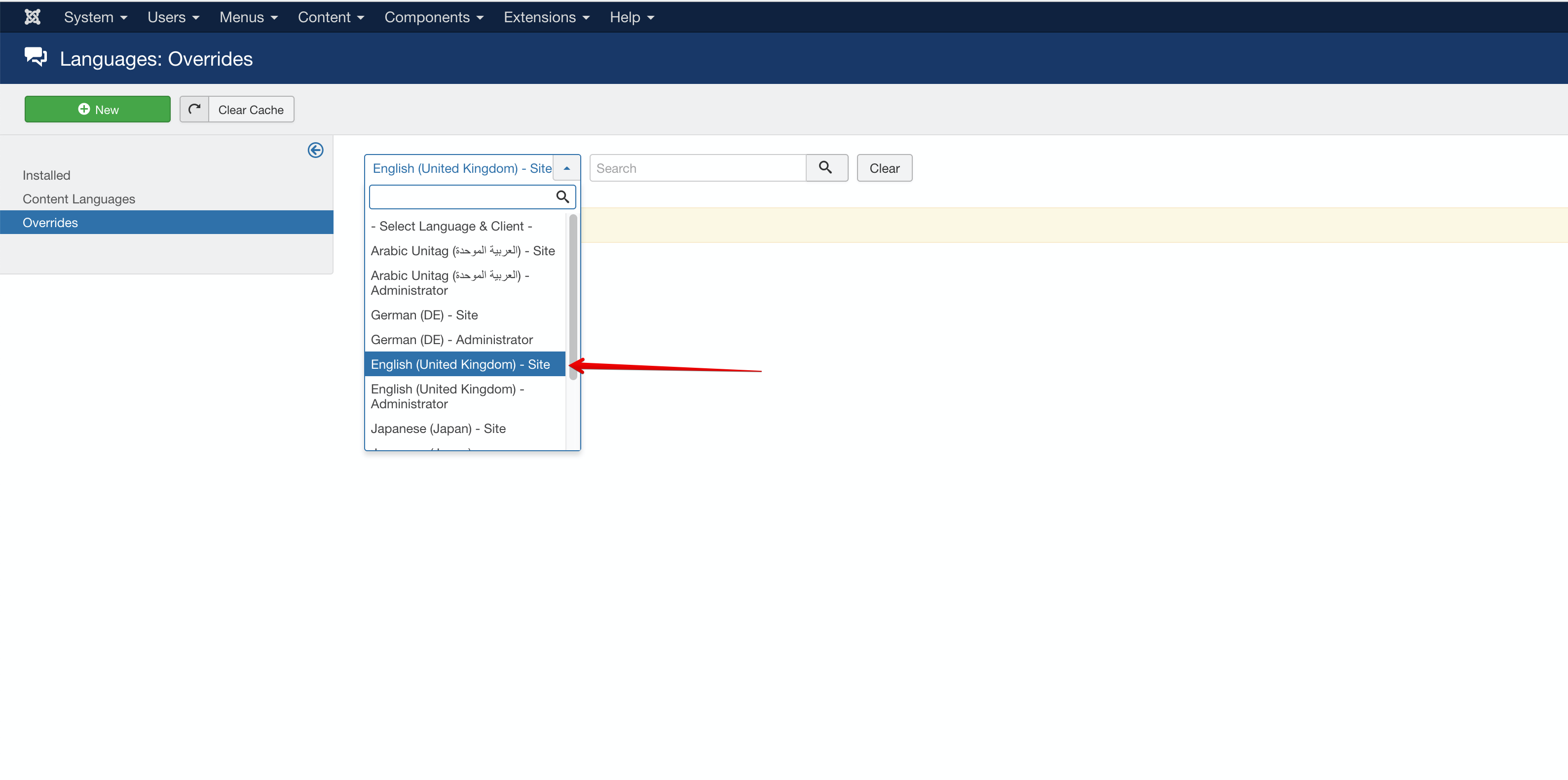
Click on the
Newbutton to create a new language override. On the form, add the Language Constant that you want and it's value. Language constants are very often in the format ofCOM_EB_XXXorMOD_EBor it could be anything else.
Once you are done, hit the save button and you are good to go.


Quick Tips
Language overrides in Joomla are stored in the folder of/language/overrides/xx-XX.override.ini where xx-XX is the locale of the language. For instance it would be en-GB.override.ini for en-GB sites.
If you find that it is tedious to manually create them using this form, you can directly modify the file.