ePay ePay is one of the largest payment service providers in the Nordic region.
Payment Features
Currently ePay payment method supports the following payment features:
One-time Payments
Recurring Payments
Refund supported from site itself.
Recurring subscriptions cancellation supported from the site itself.
Setting Up ePay
ePay requires user to create an account with them.
ePay support Both Fixed and Recurring Payments.
Enable Subscription service in your account by contacting the epay support for recurring payments..
Set your server/site ip in allowed ip field in ePay merchant account as
- Go to API/Webservice >> Access, here add server/site ip address.
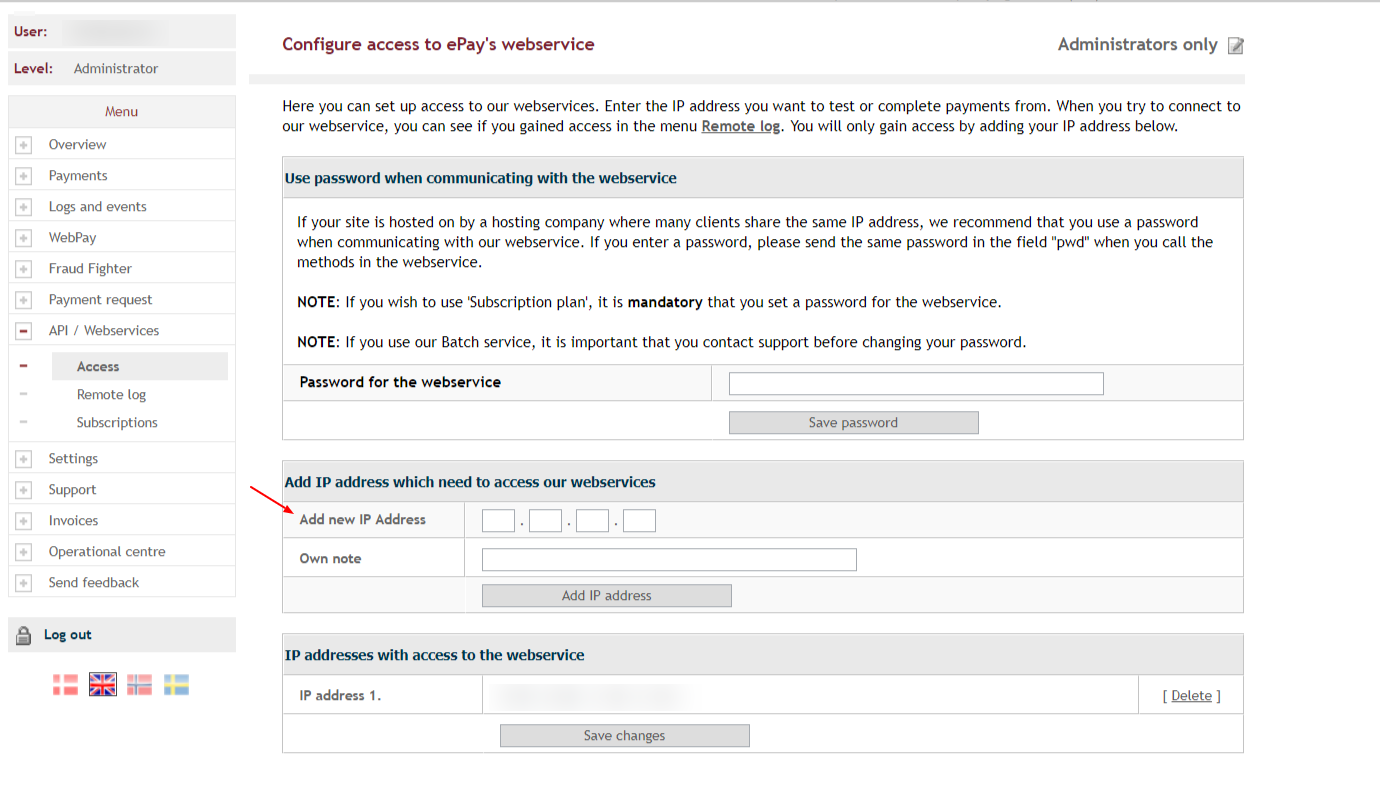
ePay Configuration
The General options for eWAY are fairly the same among all payment methods. You'll need to give a suitable title, determine whether to be published or unpublished and the appropriate description for this payment method. You may set this payment method to be applied on all plans or only on selected plans. The Parameters section are the specific options needed when configuring eWAY integration. Details of each options are described below.
Merchant Number : Enter Merchant Number provided by ePay.
Allow Recurring Billing Cancellation : This option allows users to cancel their recurring billing on the front end when they are viewing their purchases.


