Wordpress for Joomla Migrator
Before running the migrator, please make sure that the following steps are performed. These steps are the precaution steps which are needs to be addressed prior to migration. So that if anything went south, you will be able to revive back the original site.
- BACKUP, BACKUP & BACKUP your entire site. This includes the existing database of the site.
- Put your live site Offline in order to avoid any interference with database activities.
Migration Process
Navigate to
Components > EasyBlog > Migratorsat the backend of your site. Choose Migrators option from the dropdown.
Next, you will need to locate the Wordpress for Joomla migrator in the listing of migrators. Click on View Migrator button to continue.

In this step, you will be presented with an option in which you will have the ability to choose either to migrate the entire Wordpress post into EasyBlog or just a particular post.
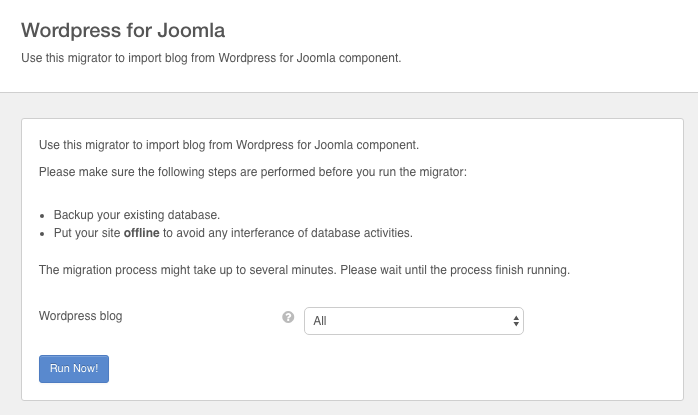
The final step, click on Run Now! button and wait until the migration process finished. The migration process might take up to several minutes depending on the total number of posts in your Wordpress.


