Sobi Pro
Sobi Pro allows admin to restricts users on the number of submitting entries in different categories accordingly. This app also featured to restriction on sections, that would restrict to limited submitted in specific section no matter in whichever client he submits. Overall restriction is also possible whatever category or section user choose to submit entries.
SobiPro App Configurations
Navigate to and create a new instance of this app at PayPlans > Apps > New > SobiPro.
Assign this instance to all plans using the Apply on All Plans setting or select specific plan if you want assign this instance to specific plan only.
The app will not take effect on plans that are not selectedSobiPro app specific parameters in Parameter section as described below:
User can add Entry In choices
Any Category - Apply restriction on all categories.
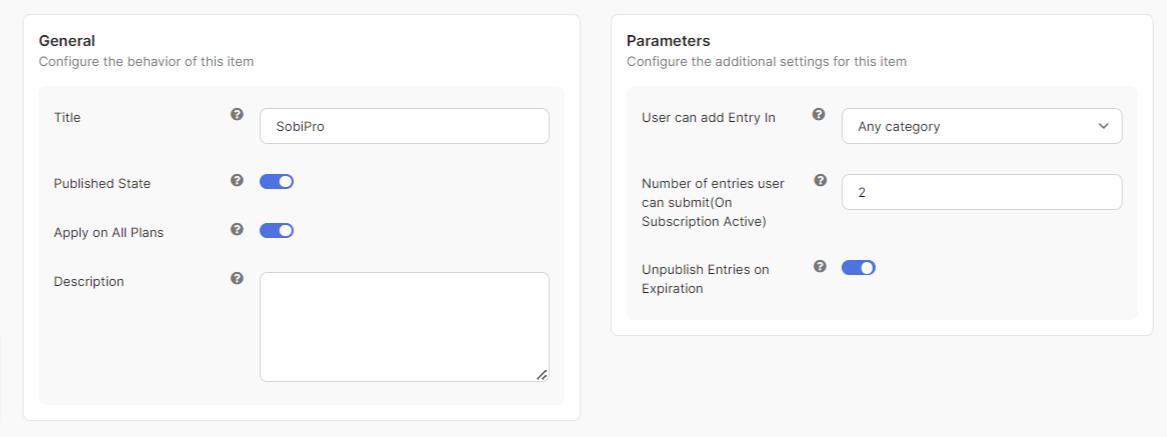
Specific Category - Apply restriction based on particular categories.

Section - Apply restriction based on Section.
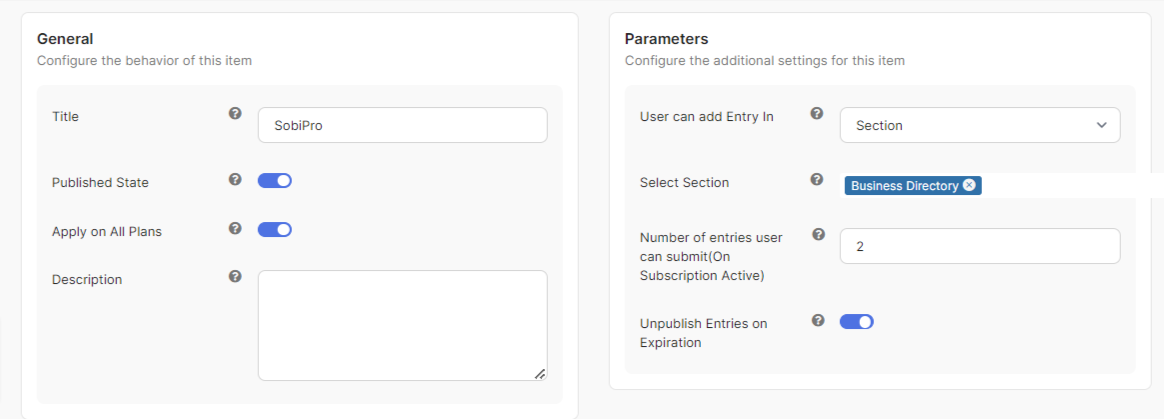
Select Category/Section : Choose pecific Categories/Section on which you want to apply restrictions in Sobipro(shown once you choose Specific Category or Section for User can add Entry In).
No. of Entries user can submit : How many entries submission are allowed when your subscription are Active.


