ShareThis button is an all-in-one widget that lets users share content on the Web with friends via e-mail, Facebook, Twitter and many other popular channels.
First, you will need the property ID from ShareThis. To get this code, you need to sign up and log in to ShareThis. During sign up, you will also be asked to enter a domain, which you can use the one where you wish to set up ShareThis. Once you are logged in, navigate to the Share Buttons > Inline Share Buttons tab on the left sidebar.
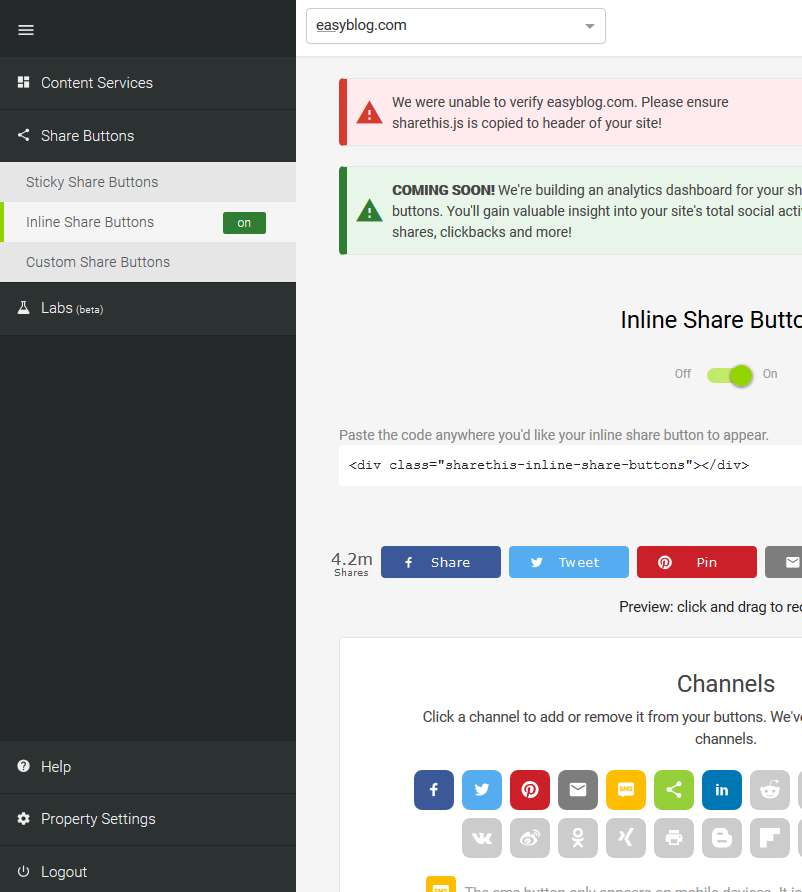
On the Inline Share Buttons page, check the domain on the top left and make sure the domain for the site is selected. You can also add other domains and configure them if you want. Head down the page until you come across the Channels section.
Here, you can configure the channels you wish to include in ShareThis. Once you have configured the channels, turn on the inline share buttons using the slider that you see in the middle of the page.

On top of the page, you may notice a message saying that the site cannot be verified. Worry not as EasyBlog component already has ShareThis integrated.
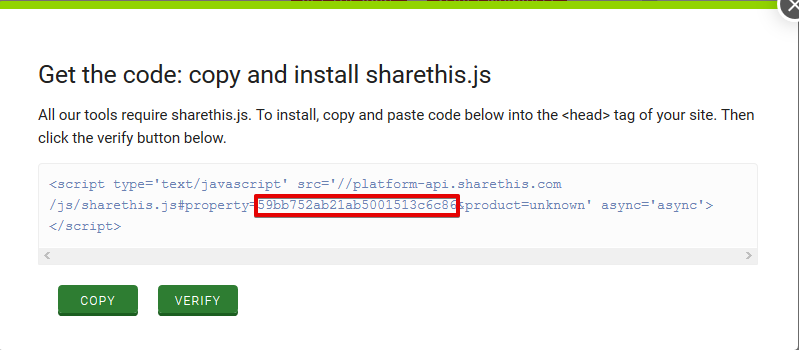
At this point, you would need to click on the Get the Code button to trigger a popup. Take a look at the code in the popup and notice that there is a section that mentions the property ID. Copy the property ID (NOT the whole block of code) so that you may paste it in EasyBlog's ShareThis configuration.
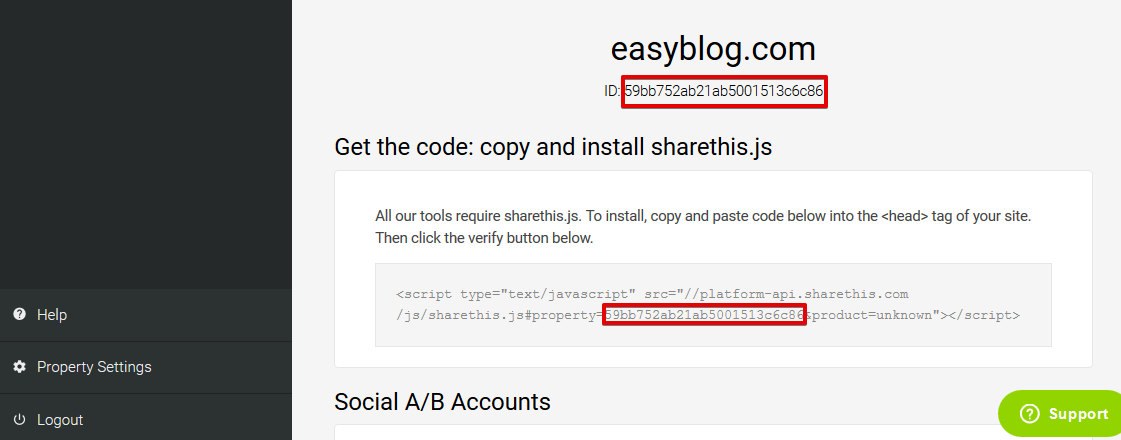
Alternatively, you may also get the property ID from the Property Settings page which can be accessed from the lower part of the left sidebar.
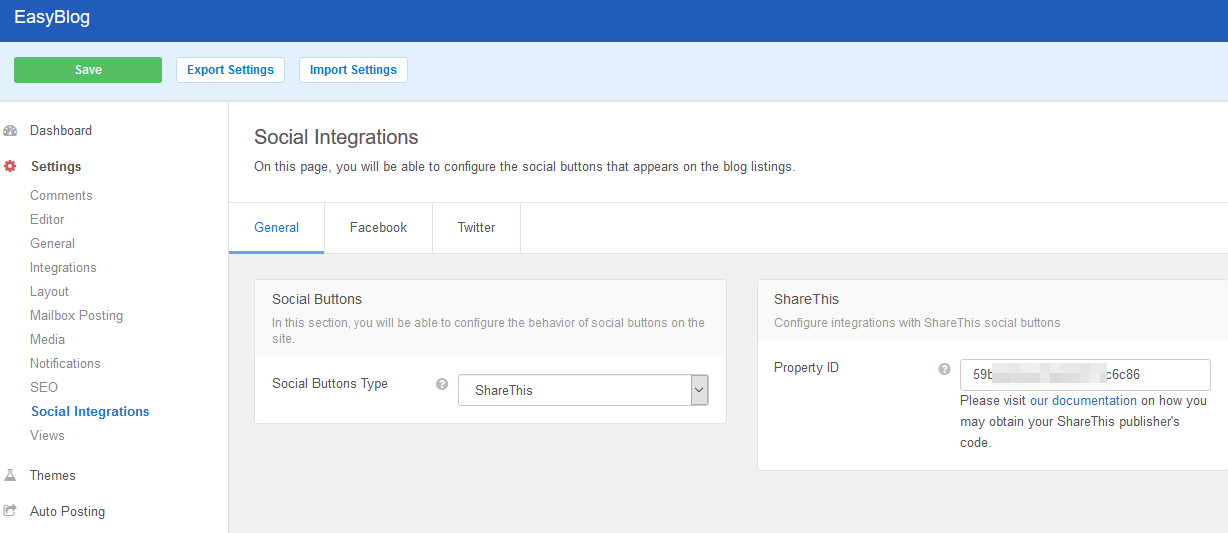
In EasyBlog's backend, navigate to Settings > Social Integrations > General and select ShareThis as the Social Buttons Type. Once you do this, the property ID form will appear on the page. Paste in the property ID that you copied from Step 3 and save the settings.