Follow the steps below to integrate with Docman.
Navigate to your backend
Joomla > Extensions > Plugins Managerand then search for Content - Komento plugin. Please ensure this plugin is turned on.
Next, make sure you have at least one category in docman. Then,navigate to Komento's docman integration configuration page,
Joomla > Components > Komento > Settings > Integrations > DOCMan. Select the categories where you want Komento to show and save.
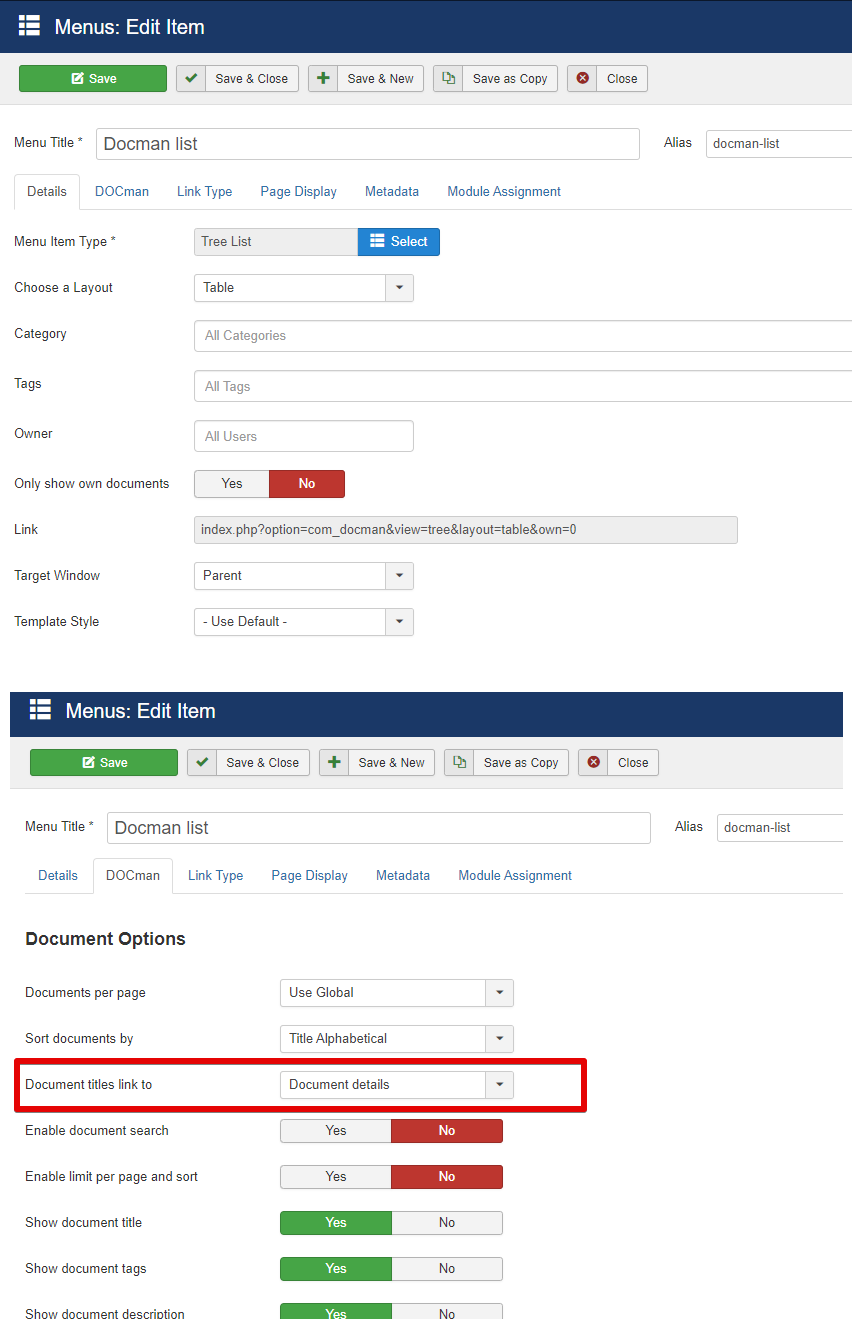
Open your DOCman menu item. On the DOCman tab, make sure the Document titles link to setting is set to Document details. This ensures that when you click on a DOCman document on the front-end, you are able to access the document page.
Once you have setup the integration correctly and load the document page, you will be able to see Komento's form. The screenshot below shows an example of how this looks like.


