Please ensure that you have:
Already backup your existing database
Set the site to offline to avoid any interference with the database
Disabled EasyBlog Auto Article plugin if the plugin is installed at your site
Migrating from Joomla articles to EasyBlog is pretty easy. You just need to follow the steps outlined below:
Access Migrators
Login to your Joomla backend and head on to Components > EasyBlog > Migrators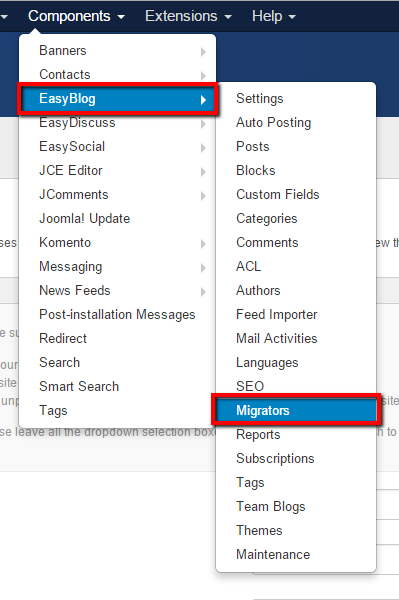
Then click on View Migrator button

Configure Migration Options
Should you decide to migrate all joomla articles into EasyBlog, leave the options untouched.
Category
Determines which Joomla category to retrieve articles fromAuthor
Determines which Author to retrieve articles fromState
Determines the state to retrieve articles fromEasyBlog Category
Determines which category should the migrated articles be filed under
Finalize
Click on the Run Now! button and wait until the progress finishes migrate completely


