EasySocial Group functionality where users on your site could create their own groups and collaborate with other users on the same site.
EasySocial Group app configuration
With this app, you are able to determine which EasySocial Group for the users when they subscribed to a plan.
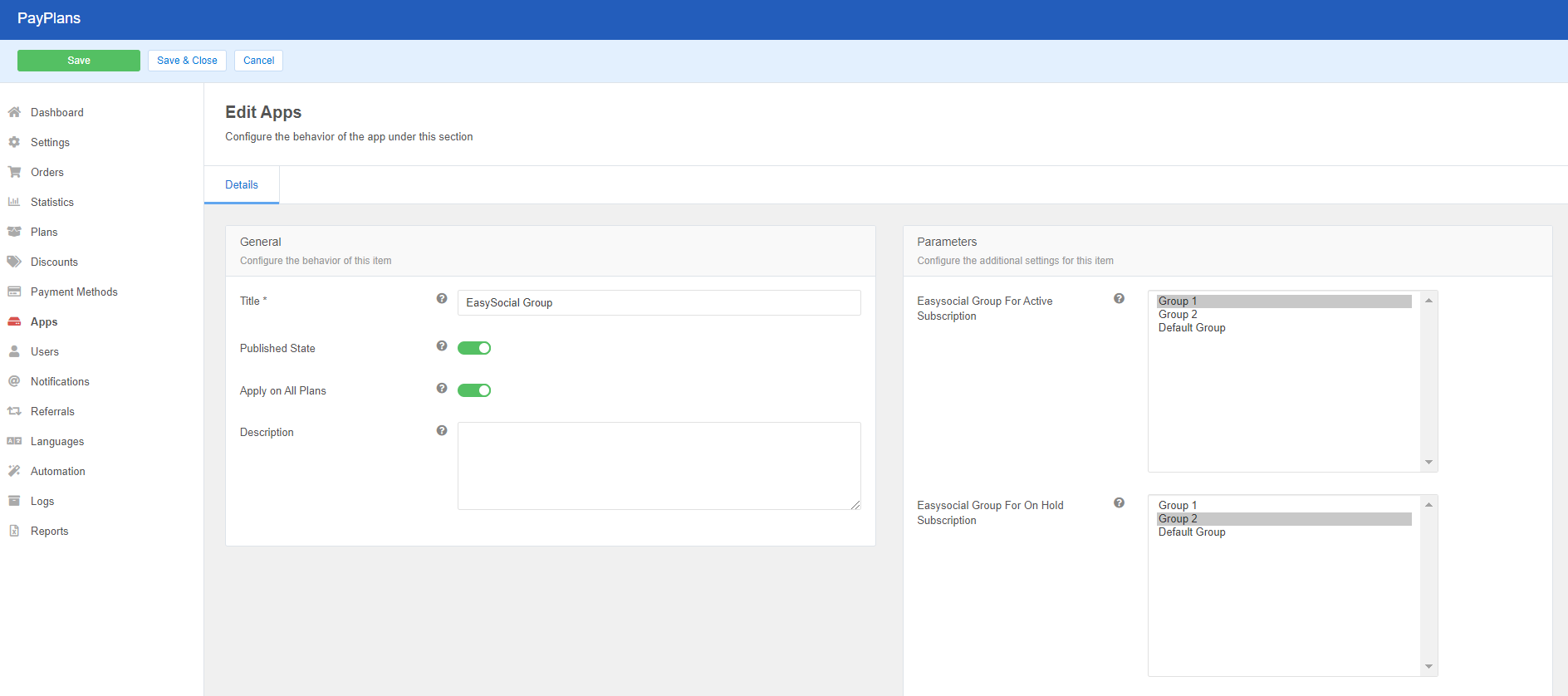
Navigate to and create a new instance of this app at
PayPlans > Apps > New > EasySocial Group.Assign this instance to all plans using the Apply on All Plans setting or select specific plan if you want assign this instance to specific plan only.
The app will not take effect on plans that are not selected.EasySocial Group app specific 3 parameters in Parameters section as described below.
Easysocial Group For Active Subscription : This is to determine which EasySocial Group that the users should belong to when the subscription is active.
Easysocial Group For On Subscription Hold : This is to determine which EasySocial Group that the users should belong to when the subscription is on hold(Inactive).
Easysocial Group For On Subscription Expire : This is to determine which EasySocial Group that the users should belong to when the subscription is expire.
Forcefully Remove Easysocial Group : This is to determine which EasySocial Group of the users need to be removed when the subscription is active.
 Note: New changes that has been made into the app will not affect the existing subscribers.

