This guide contains the steps to show 2 factor authentication field on user profile edit page.
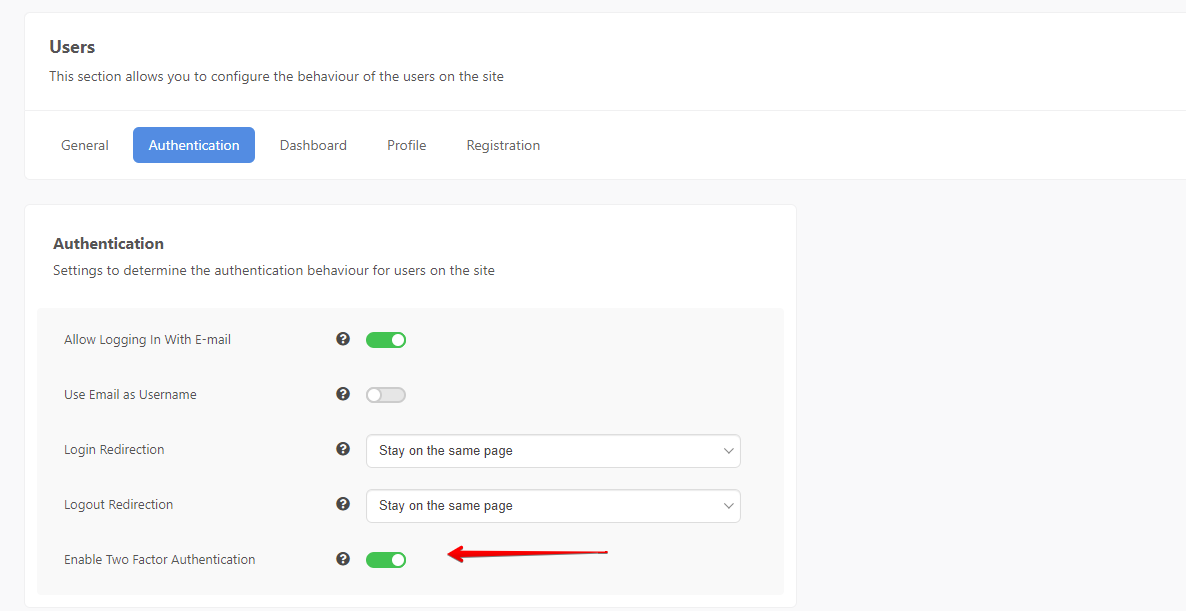
Enable this setting from EasySocial's back-end: EasySocial > Settings > Users > Authentication > Enable Two Factor Authentication
Enable the following plugins from Joomla plugins section if you have not done so. Only enable the ones you plan to use :
- Two Factor Authentication - Google Authenticator
- Two Factor Authentication - YubiKey

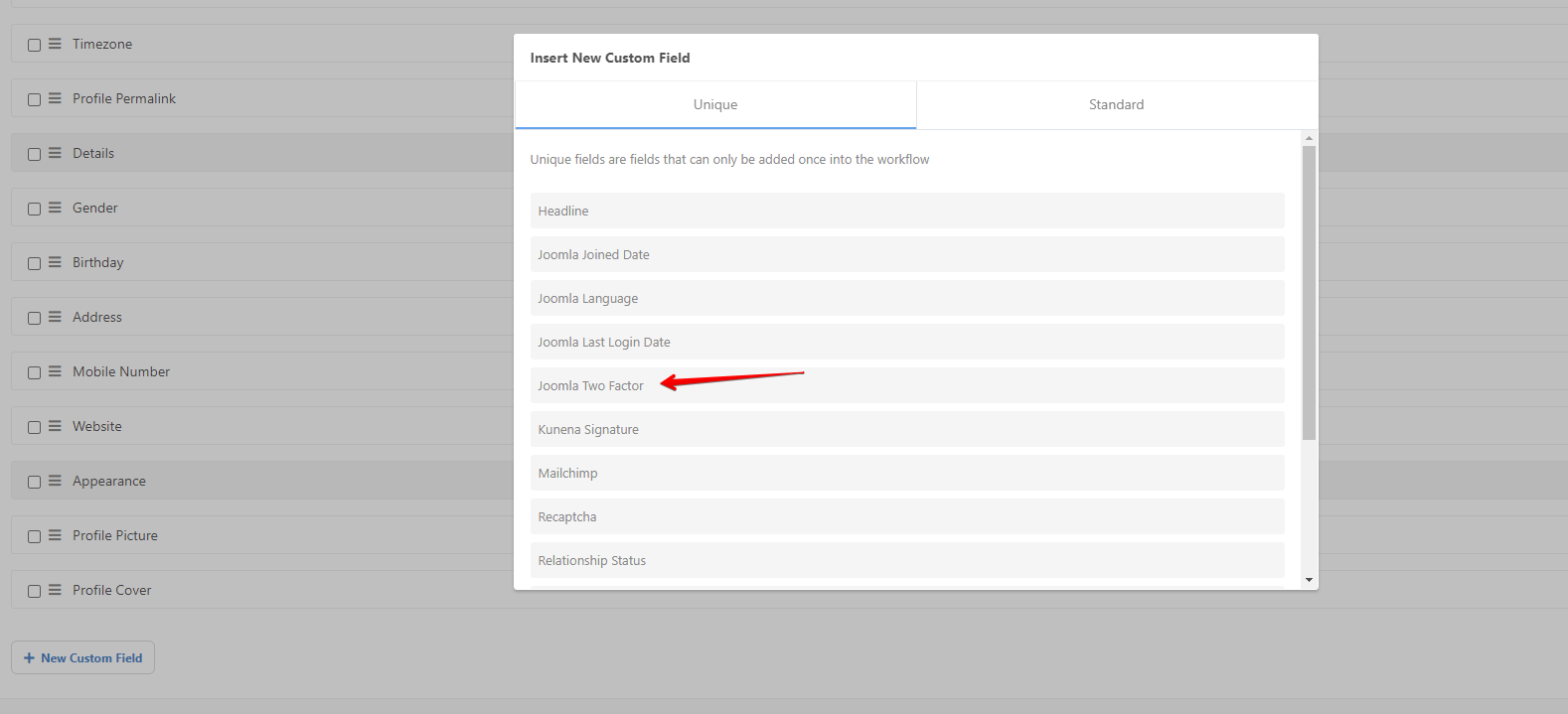
Add Two factor authentication custom field to your EasySocial user profile form and configure it according to your needs.


This Joomla documentation contains more details on how to setup the respective authentication methods.
Once you have completed the steps above, users can now configure 2 factor authentication from their EasySocial user profile edit page.