In order for push notifications to work correctly with the native mobile app, you will need to download and install the push notifications app:
Head over to https://creative-graphics.ch/apps/item/3451-easysocial-mobile-push-notifications to download the app.
Once you have already downloaded the app, head over to EasySocial's Application Installer
EasySocial > Applications > Install.Under
Upload Installation Package, click on theChoose Filebutton and select the package that you have just downloaded and hitUpload & Install.Once the app is installed, ensure that the app is published.
Configuring the app
- There are two way for the app to send the notification to the push server:
- Instant Push (Default)
- Batch processing via Cronjob
Instant Push (Default)
In the application setting, choose
Instant Pushfrom the dropdown selection and click onsavebutton at the top left of the application page.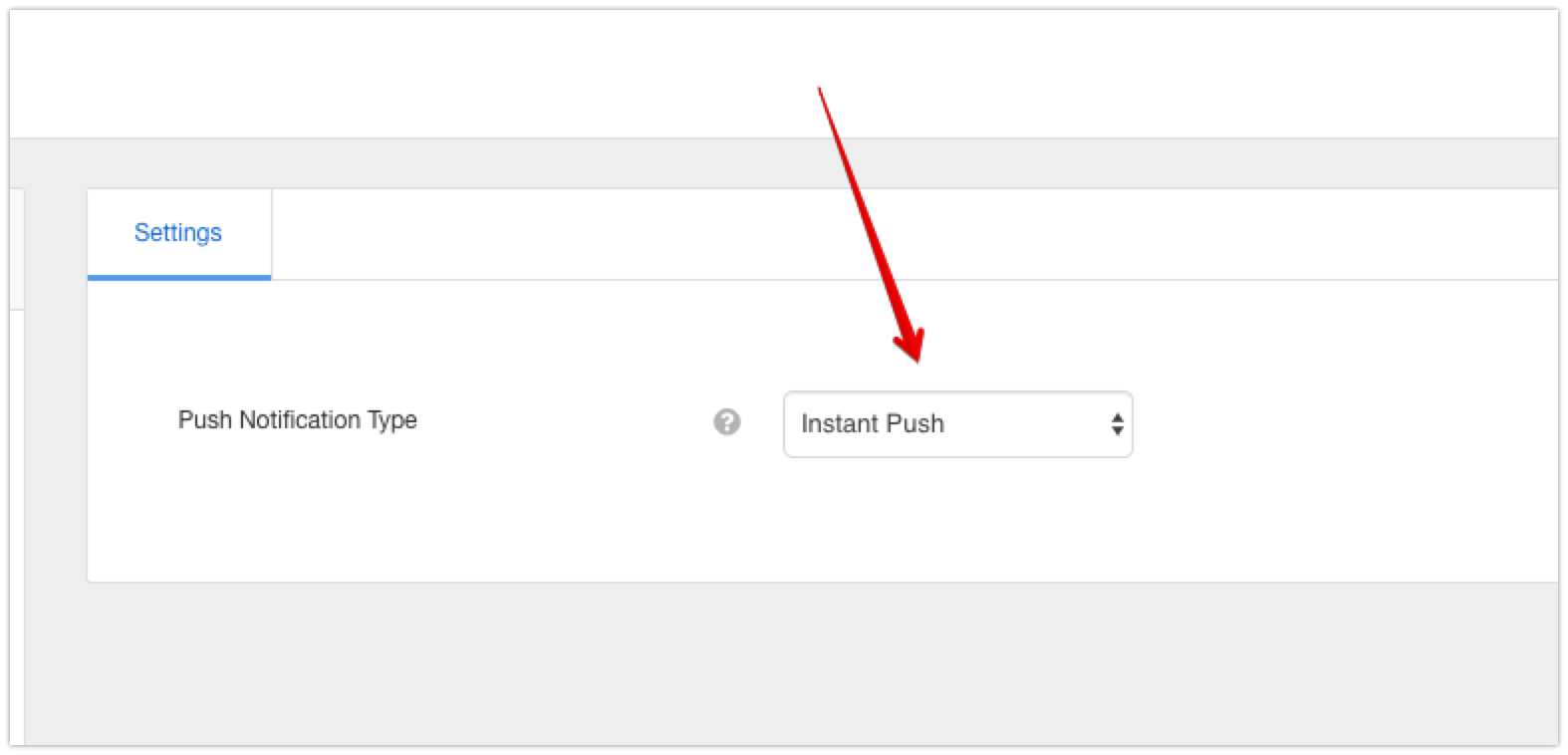
The app is now ready to send push notification everytime new actions is made on the site.

Cronjob
In the application setting, choose
Cronjobfrom the dropdown selection and click onsavebutton at the top left of the application page.
Next, add the following url into your cronjob,
site.com/index.php?option=com_easysocial&cronmobile=true. Replacesite.comwith your site url.

If you have enabled secure cronjob key in EasySocial, you need to add the same phrase key into the cron url as well. For more information on how to setup the cronjob, kindly refer to the cronjob guide in EasySocial.