EasySocial has introduced the Advertisement feature that is elegantly sandwiched between your stream items according to the set frequencies. Following are the example of ads being displayed on your site.

Setting Up Advertisement
Setting up the advertisement on your site is fairly simple. Following are the steps for the site admin to set up this cool feature.
Navigate to EasySocial > Settings > General > Advertisements.
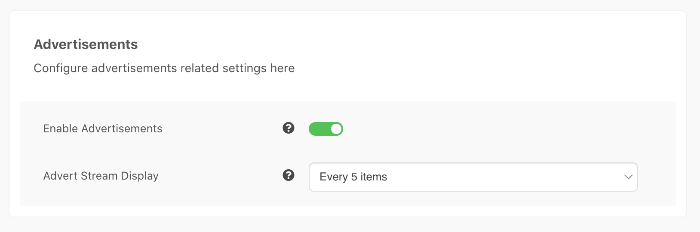
- Enable Advertisements feature and set the frequency of the ads accordingly.
- Then, navigate to EasySocial > Advertisements > Advertisers section at the sidebar.
Create a new advertiser by clicking on the New button and entering the required information.

- Once done, you can now create new ads at EasySocial > Advertisements > Ads.


User's Advertisement Creation
This feature allows users to create their own advertisements.
- Head to the toolbar and click on your avatar to see the dropdown.
Click the Advertise item and choose the Create Advertiser Account.

Fill in the required information and submit it for review and approval by the site admin.
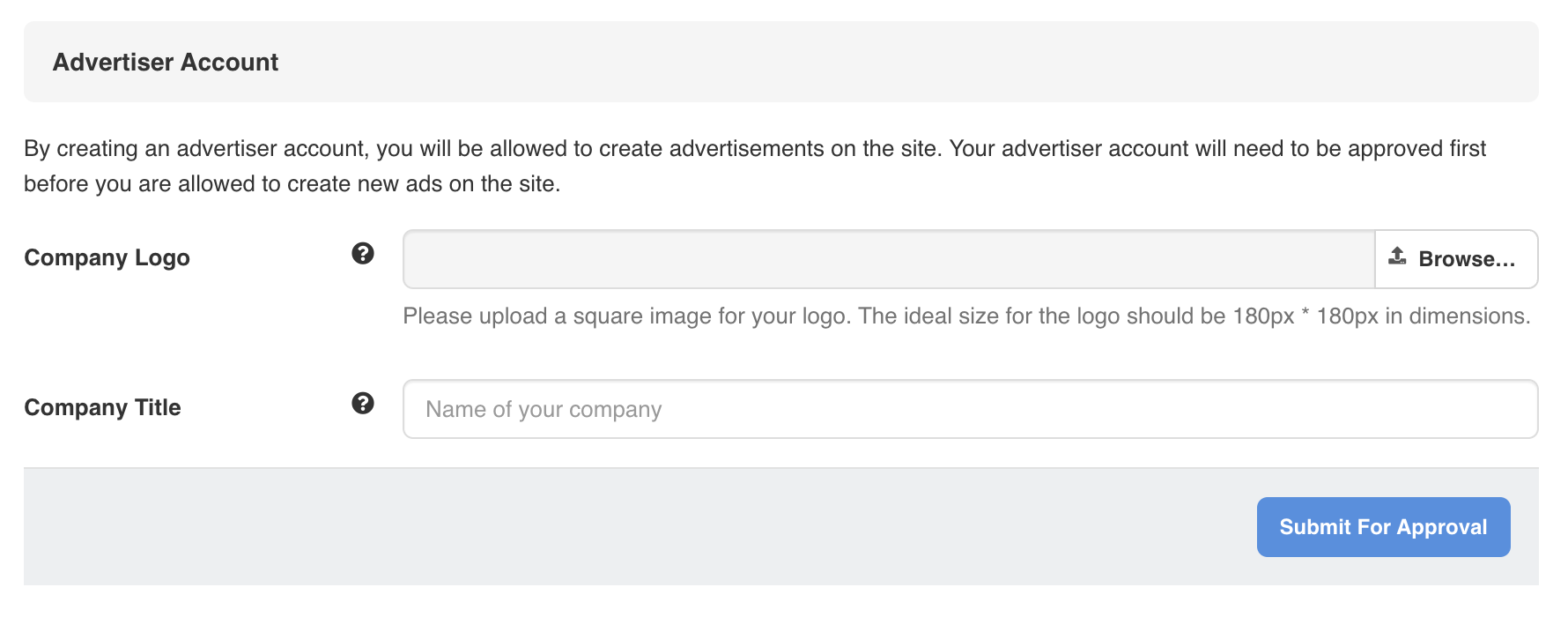
Once the advertising account has been approved, now they can start to create ads on their profile.

Click on Create New Ads button and fill in the ads' information. Submit the ads for approval.

- After the site admin approved the ads, they should be displayed on the user dashboard.


