Get more shares and likes with AddThis share buttons. This easy-to-implement social sharing buttons will help you boost content distribution and increase site traffics.
Configuration
Navigate to AddThis to register your account.

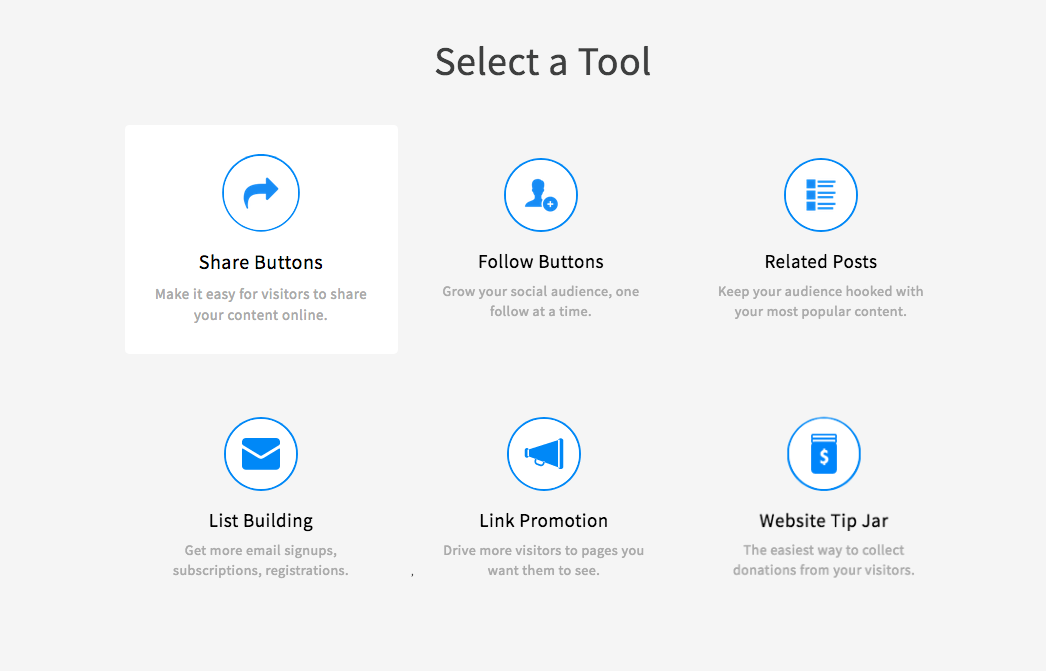
Select a tool needed by your site. As for this documentation, we'll guide you to implement Share Buttons on your site.
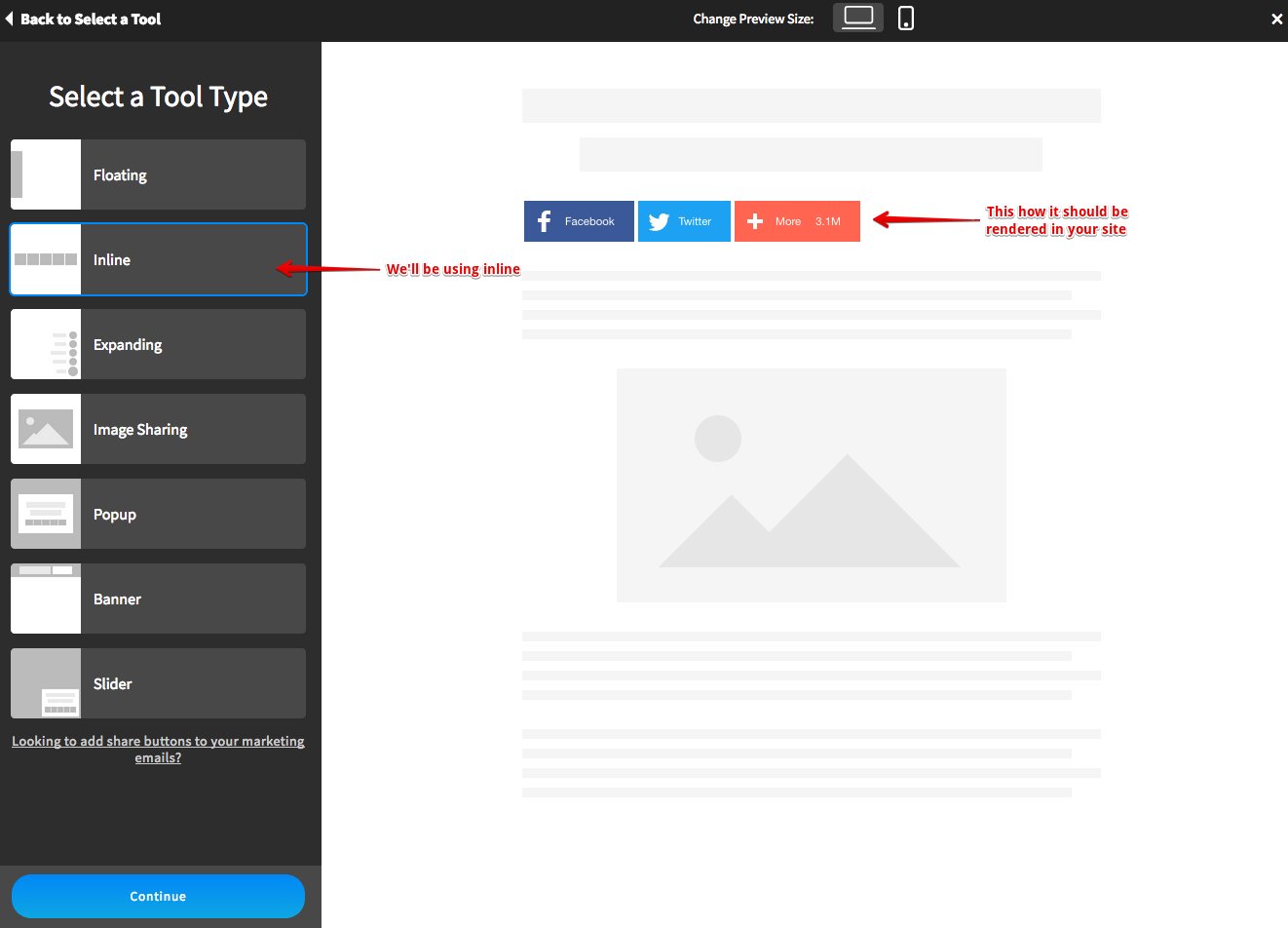
Next, we'll need to choose the tool type. We'll be using Inline buttons type for this guide. Click Continue button to proceed.
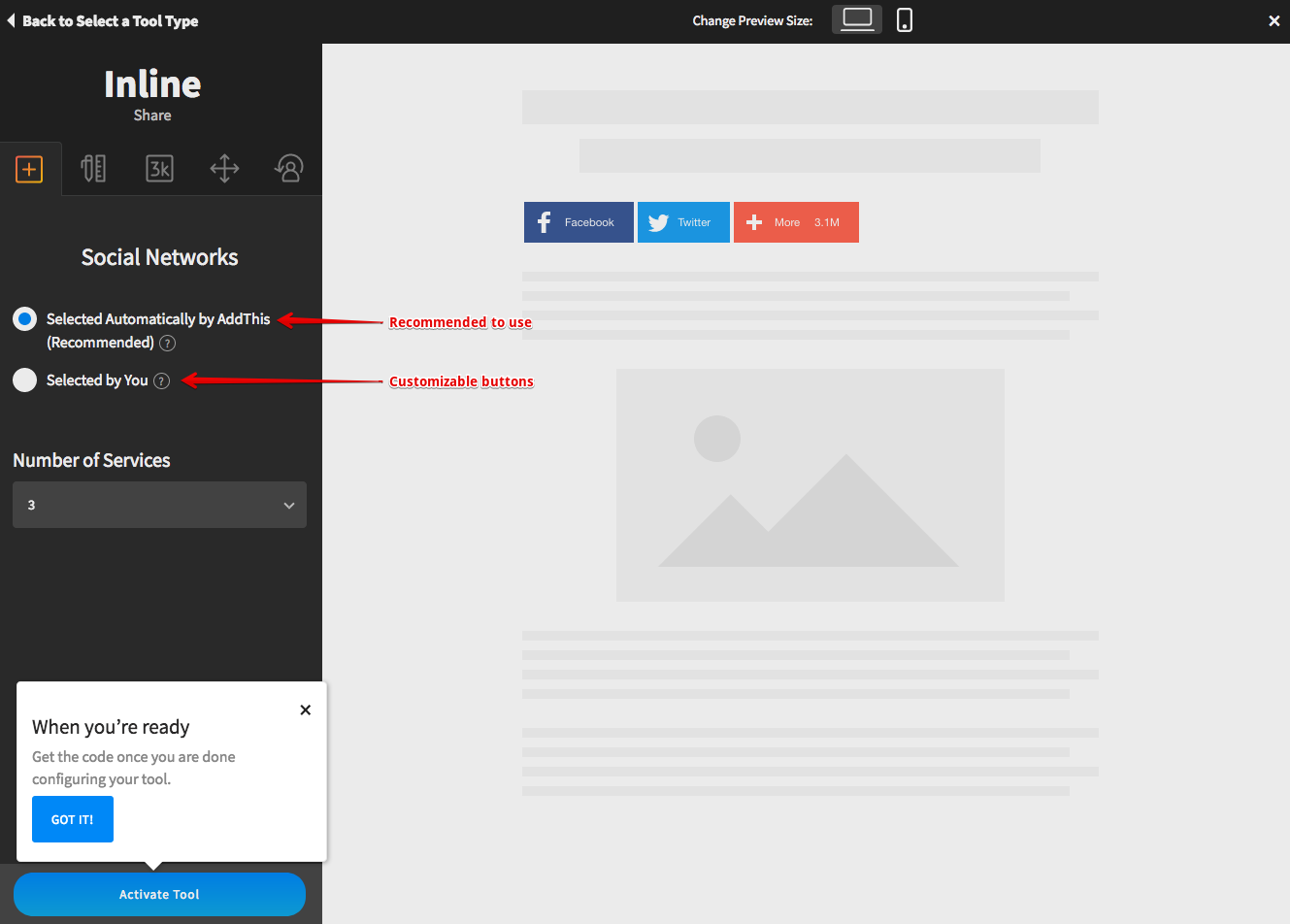
It is recommended by AddThis to use Automatic button selection to optimized productivity. However, you may customize each button to your preference. Click on Activate Tool button to start build the code.
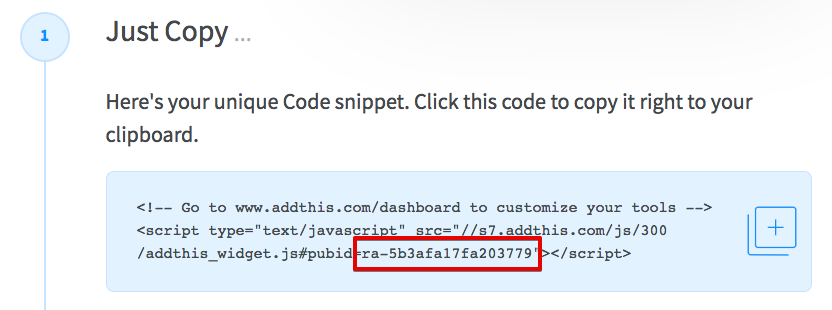
Once everything is done, AddThis will generate a code snippet for you. However, EasyBlog does not need the entire code as it is already implemented. You only be needing the public id as shown in the screenshot below. Copy the public id and paste it in EasyBlog AddThis configuration section.


EasyBlog AddThis Configuration
Navigate to EasyBlog > Settings > Social Integrations > General > Social Buttons and choose AddThis from the Social Buttons Type. Paste the public id which was generated by AddThis into this section. Click Save button to store the id.
