#152 Mailbox

Posted in ‘EasyBlog’
This is a public ticket

Everybody will be able to see its contents. Do not include usernames, passwords or any other sensitive information.

Latest post by CreativeGraphics Support on Wednesday, 11 February 2026 10:13 UTC

Podobin

Can someone tell me which page to click instead of a cron to get the mailbox working? I've set everything up, tested the connection, and sent an email. Where does it go? It's showing up for all other messages, for pending messages, etc. I can't find anything.


I found this article: https://www.easycron.com/cron-job-tutorials/how-to-set-up-cron-job-for-easyblog but it didn't give any results


{"emails":{"status":200,"type":"info","message":"There are no pending emails that needs to be dispatched currently."},"email_import":{"status":200,"type":"info","message":"No emails found in mailbox. Skipping this."},"twitter_import":{"status":200,"type":"info","message":"No Twitter accounts associated on the site. Skipping this"},"scheduler_publish":{"status":200,"type":"info","message":"No scheduled posts to process currently."},"scheduler_unpublish":{"status":"","type":"","message":""},"scheduler_autoarchive":{"status":200,"type":"info","message":"Blogpost automatisch archiveren uitgeschakeld. Niets te verwerken."},"scheduler_remove_tmp_files":{"status":"","type":"","message":""},"scheduler_remove_blank_posts":{"status":200,"type":"info","message":"Blank posts removed"},"token_expiry_notification":{"status":200,"type":"success","message":"Facebook autoposting disabled. Nothing to process."},"scheduler_autopost":{"status":200,"type":"info","message":"Geen geplande autoposts om op dit moment te verwerken."},"scheduler_reposting":{"status":200,"type":"info","message":"Er zijn momenteel geen blogberichten gevonden voor het automatisch herplaatsen."},"scheduler_expiry_download":{"status":200,"type":"info","message":"Expired download requests removed"},"scheduler_image_optimization":{"status":200,"type":"info","message":"Cron voor afbeeldingen optimalisatie uitgeschakeld."}}
Podobin

mailbox.jpg

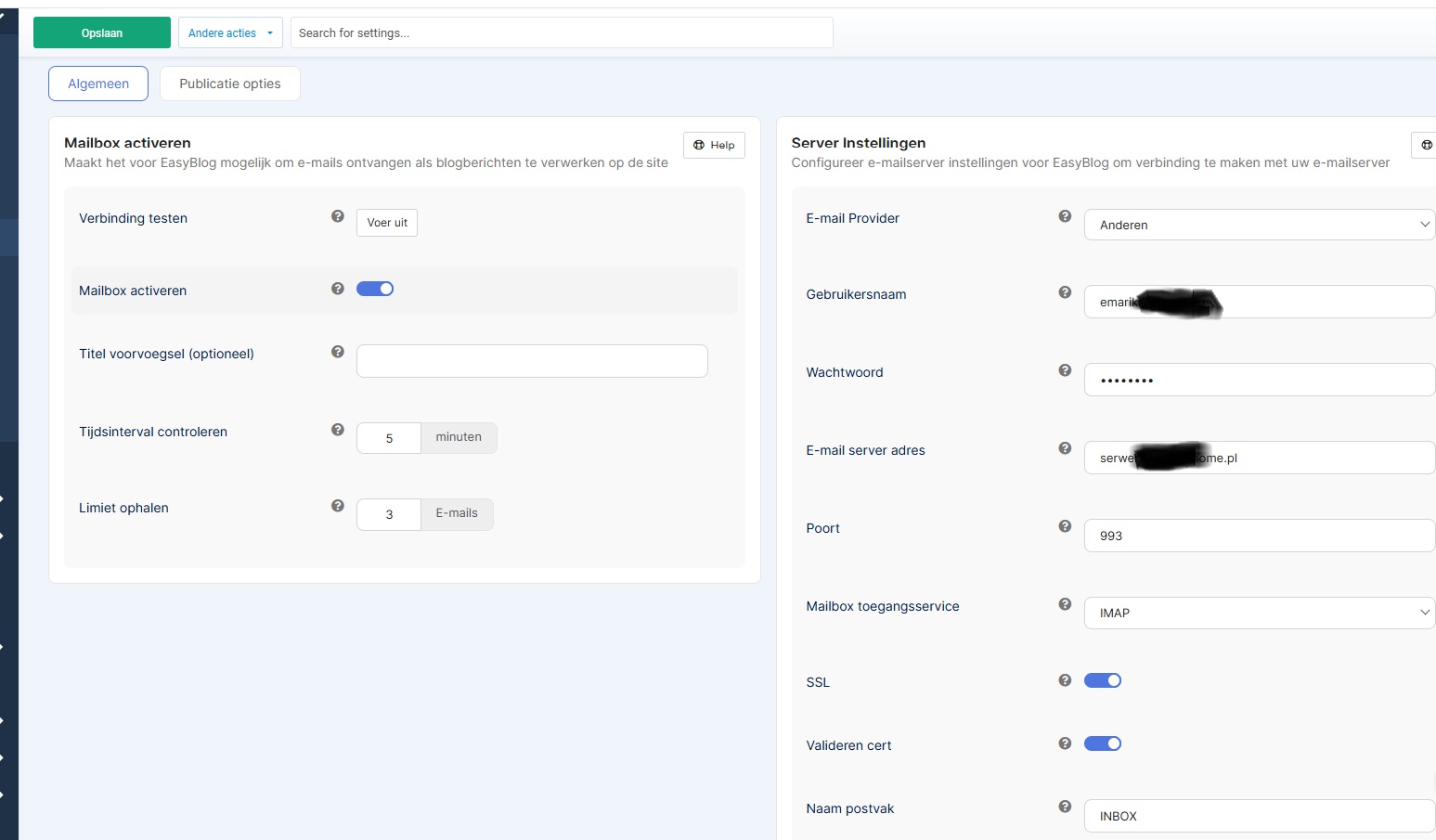
Configuration of the mailbox, test => OK

CreativeGraphics Support

We tested the mailbox-publishing extensively and can confirm that it works. 

cron-article.png

According to everything I know about it, you MUST setup a cron in order to make the mailbox-publishing automation work. 

Easiest is to set it up as type "URL" and execute it i.e. every 5 minutes: 

url-cron.png

What server control panel do you use? Can you configure CRON-tasks there?

Best regards, Pascal

CreativeGraphics Support

Ah, maybe that's it: In the manuals, it says "task=cron" but it should be "&cron=true"...

At least on our test-hosts it works with "&cron=true"

Podobin

"Task=cron" or "&cron=true" both work. The problem was with "max_execution_time" in PHP, which I solved by placing a php.ini script on the server.

Yes, that's how it works at home.pl. I think they've also created their own control panel.

I use easycron.com for my cron because it's a very complex system on the server.

I keep everything "easy" :-)


CreativeGraphics Support

Good! Glad to hear that you could solve this issue. 

I will remember your solution for further cases. Maybe others will face the same issue. 

Best regards, Pascal

We use cookies
We use cookies on our website. Some of them are essential for the operation of the site, while others help us to improve this site and the user experience. You can decide whether you want to allow cookies or not. Please note that if you reject them, you may not be able to use all the functionalities of the site.