#434 Image upload issue in the main stream after upgrading to CRE8/Joomla 6.2

Posted in ‘EasySocial’
This is a public ticket

Everybody will be able to see its contents. Do not include usernames, passwords or any other sensitive information.

Latest post by CreativeGraphics Support on Tuesday, 27 October 2026 16:21 UTC

viga1251

Hello CRE8 Support Team,

I am experiencing an issue when creating a post in the main stream (activity stream).

When I try to insert an image into my post, the image upload does not work correctly. The image is not uploaded, and I am therefore unable to include it in my publication.

My environment:

  • Joomla 6.2
  • CRE8 component

Important: Before upgrading to CRE8, I was using the latest version of EasySocial, and I did not experience this problem. The issue appeared after the upgrade to CRE8.

Have you encountered this kind of issue before? Could it be related to the upgrade, or is there a specific configuration required to enable image uploads in posts published to the main stream?

Any advice or guidance would be greatly appreciated.

Thank you for your help.

Best regards

CreativeGraphics Support

Dear Victor

Thank you for your message.

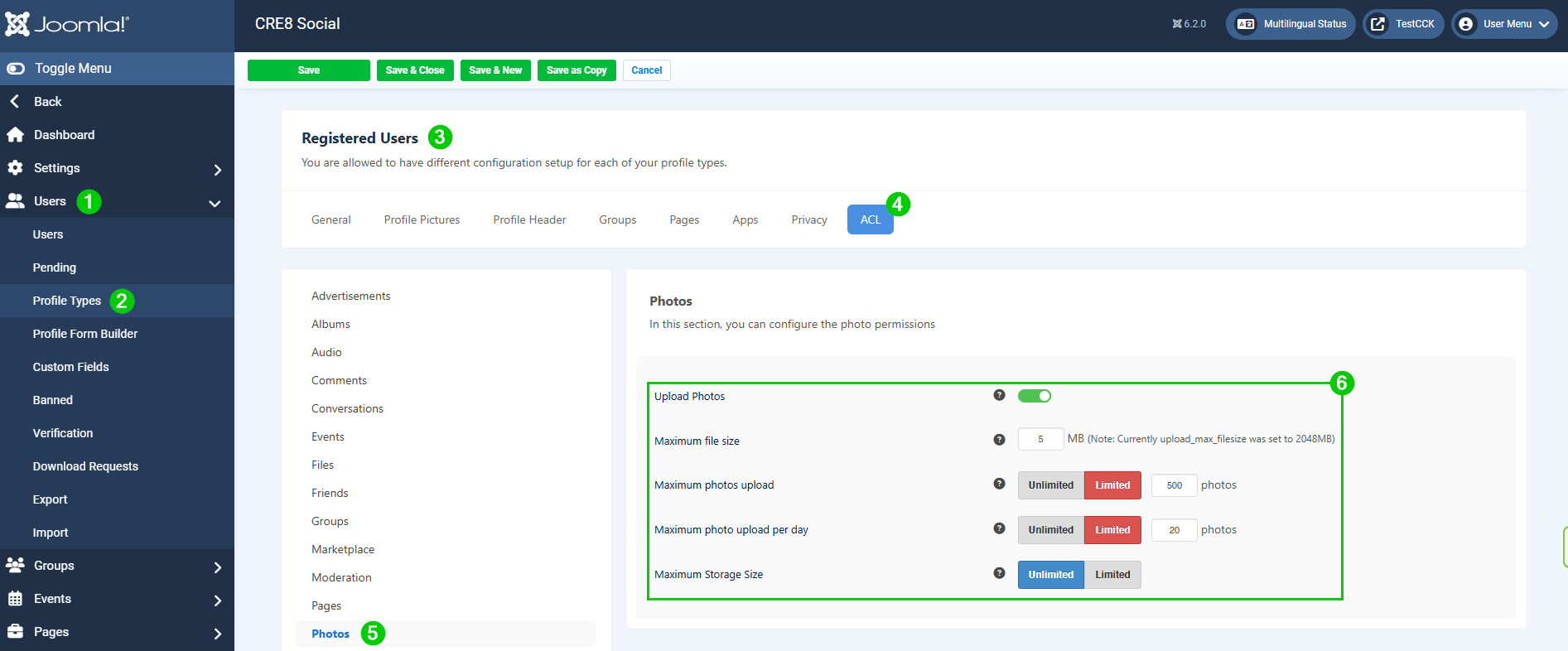
Please check in the Menu "Users" (1), "Profile Types" (2), chose the type you want to inspect (3).

Then click on "ACL" (4), Photos (5) and have a look at the respective settings (6).

photo-upload.png

User must be allowed to upload photos, maybe you will need to raise the maximum file size as well. 

If that doesn't do the trick, please also verify if the file type you try to upload is allowed in the Joomla media settings.

Best regards, Pascal

viga1251

Dear Pascal,

Thank you for your prompt reply, but unfortunately, this does not solve the problem.

The CRE8 test installation is not in production. It is installed in a separate test directory on the same production server and is an exact replica of the live EasySocial environment before upgrading to CRE8.

I have been using EasySocial for many years and have worked with different versions. In the past, I have also been in contact with Mark Lee from StackIdeas, as I manage several large Swiss platforms based on EasySocial.

I have checked other profile types, and the problem occurs with all of them, even when logged in as a Super User.

I can confirm that the issue is not related to the ACL settings, the permitted image formats, or the maximum file size.

I am attaching a few screenshots to illustrate the problem.

I must admit that this is rather strange, as image uploads work perfectly with EasySocial in the original live installation on the very same server. The issue appeared only after upgrading the test installation to CRE8.

Do you have any other suggestions or specific areas we could investigate to identify the cause of this issue?

Thank you again for your time and cooperation.

Best regards,
Victor

Attachments

acl.jpg
step-1.jpg
step-2-add-picture.jpg
step-3-select-image.jpg
step-4-uploading-until-100.jpg
step-4-b-no-picture-not-showing.jpg
step-5-result.jpg
system-info.jpg

viga1251

Dear Pascal,

To better document my support ticket regarding the upload images to posts in the main stream,
I have carried out another test in a completely different environment.
I performed a fresh installation on another server, using a separate database and a different Joomla instance from the first one.

This time, I kept Joomla 5.4.10 and upgraded EasySocial to CRE8 only, without performing the full migration to Joomla 6.2.0.

Unfortunately, the result is exactly the same: it is still impossible to upload images to posts in the main stream, and the same error occurs as on my first site.

We now have two separate environments, on two different servers and with two separate databases, both exhibiting exactly the same problem.

These additional tests seem to indicate that the issue is not specific to a particular environment and is not related to the migration to Joomla 6.2.0.

Thank you for your help and for the time you are dedicating to investigating this issue.

Best regards,

Victor

CreativeGraphics Support

Dear Victor

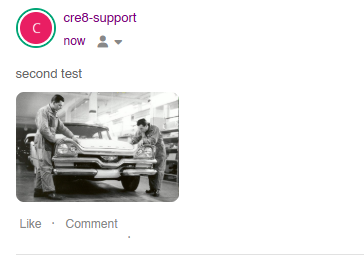
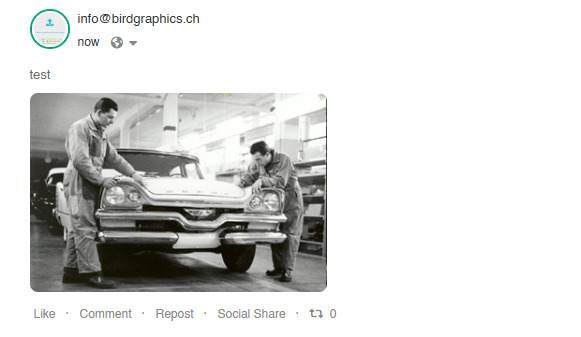
I have retested the process and it works without any flaws or errors on a lot of test- and production sites worldwide.

img-upload.png

img-upload2.png

In order for us to find out more, could you please check if you see errors in the browser console when uploading?

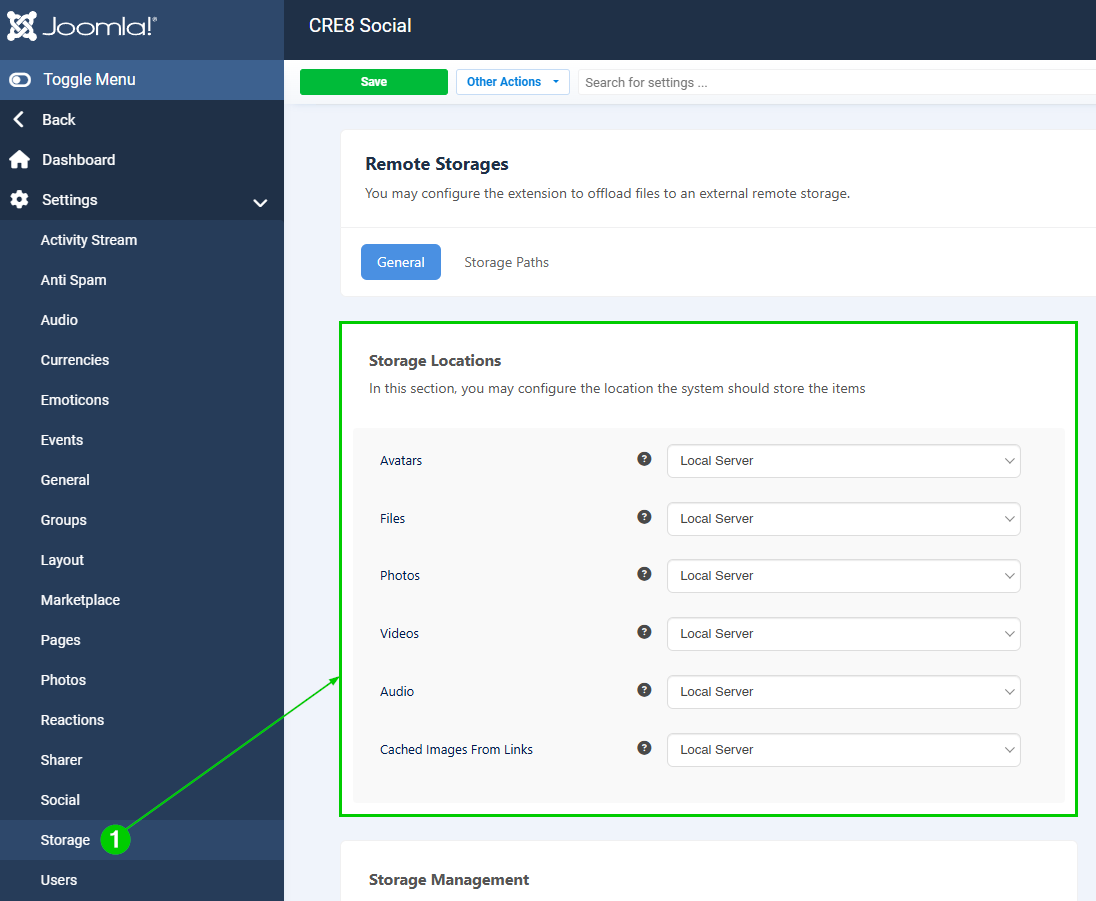
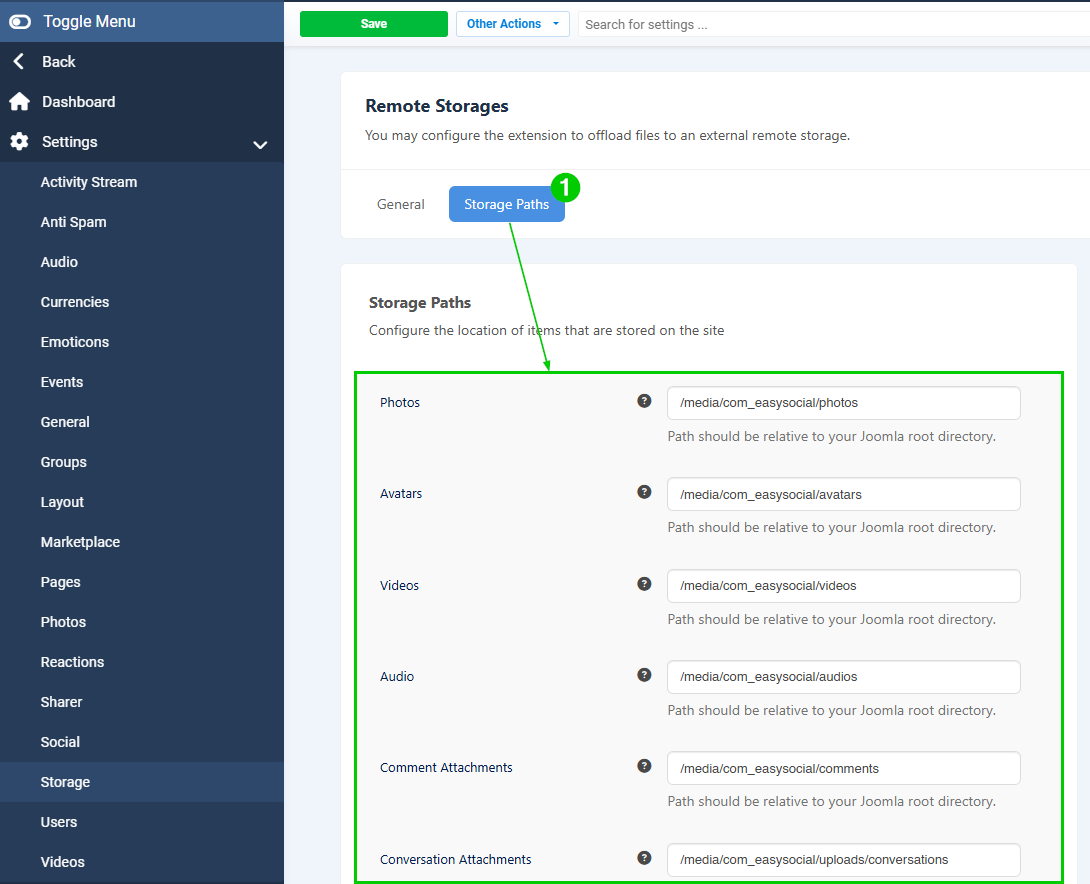
Please also check the settings under "Storage" General and Storage Paths:

storage1.png

storage-paths.png

In case this doesn't solve the issue, please send us a URL where we can see the wrong feature behavior or temporary Super User credentials (put ticket on "private" first).

Thank you very much.

Best regards, Pascal

PS: Wir sind auch aus der Schweiz, wir können auch auf Deutsch schreiben 😉